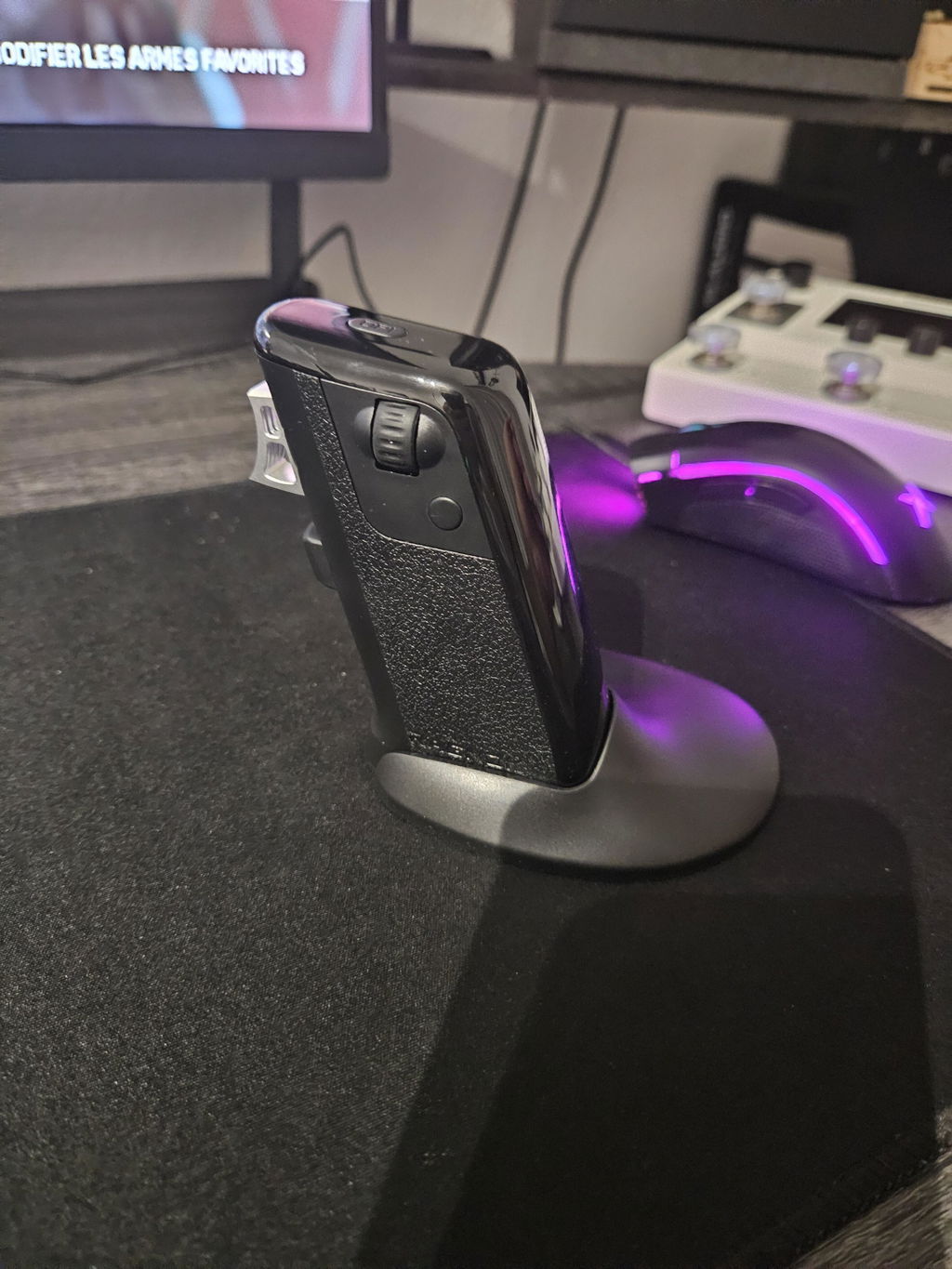
FireGrip: Die Gun-Maus für Shooter-Spiele mit Vibrationsfeedback

RAGNOK Feuergriff

FPS-Maus im Pistolenstil mit Vibrationsfeedback – ein ganz anderes Spielgefühl bei Shootern.

$59.00 $79.00
Farbe: Schwarz
  • Integriertes Vibrationsfeedback mit 2 Stufen (jederzeit ausschaltbar)
  • Realistischer Griff in Waffenoptik für lange Shooter-Sessions
  • PixArt-PAW3311-Sensor: bis zu 12.000 DPI, 400 IPS, 35 G
  • 2,4-GHz-Funkverbindung oder USB-C-Kabel · 600-mAh-Akku
  • Schnellfeuertaste · programmierbare Steuerung · Windows-App
Schneller, kostenloser Versand

Wir bieten sowohl Standardversand als auch DHL Express an. Die Standardlieferung dauert in der Regel 5–9 Werktage, während DHL Express innerhalb von 2–5 Werktagen ankommt.

Alle Einzelheiten finden Sie in unseren Versandbedingungen.

Sorglos-Garantie

Für alle RAGNOK-Produkte gilt ab dem Lieferdatum eine 12-monatige Garantie. Bei einem Qualitätsproblem stellen wir einen Ersatz bereit (keine Reparaturen).

Wenn Sie Hilfe benötigen, kontaktieren Sie bitte support@ragnok.net und fügen Sie Ihren Bestellbeleg bei.

Siehe Garantie-/Supportseiten

30-tägige Geld-zurück-Garantie

Sie können jedes unbeschädigte Produkt innerhalb von 30 Tagen nach der Lieferung aus beliebigem Grund zurückgeben.

Ausführliche Informationen finden Sie in unseren Rückgabebedingungen.

Einfach bezahlen

  • AliPay
  • Amazon
  • American Express
  • Apple Pay
  • Bancontact
  • Diners Club
  • Discover
  • Google Pay
  • Mastercard
  • MB WAY
  • PayPal
  • Satispay
  • Shop Pay
  • Visa

Spüre jeden Schlag

Integriertes Vibrationsfeedback.

Ein Vibrationsmotor unter der Basis sorgt beim Betätigen des Abzugs für dezentes Feedback – für ein intensiveres Erlebnis ohne mechanischen Rückstoß.

Zwei Vibrationsstufen beim neuen FireGrip. Schalte die Vibration jederzeit mit dem Schalter an der Unterseite aus.

FireGrip Maus im Pistolenstil mit Vibrationsfeedback

Realistisches Design für einen Pistolengriff.

Mit demselben Griffverhältnis wie eine echte Waffe sorgt FireGrip auch bei intensiven Shooter-Sessions für einen bequemen, natürlichen Halt.

Der vertikale Seitengriff hilft, die Ermüdung der Hand zu verringern, damit du länger spielen kannst, ohne den Unterarm wie bei einer flachen Maus zu verdrehen.

FireGrip-Griff im Pistolengriff-Stil im Vergleich zu einer herkömmlichen Mausform

Unterschiedliche Auslöser, unterschiedliches Gefühl.

Trigger aus Kunststoff und Metall bieten unterschiedliches haptisches Feedback. Wähle das Spielgefühl, das zu deiner Spielweise passt.

Natürlicher. Bequemer.

Der vertikale Griff ist für lange Shooter-Sessions konzipiert – vertraute Mausfunktionen in einem Layout im Stil einer Waffe.

FireGrip-Vertikalgriff in der Hand Abzugs- und Steuerungsdetail von FireGrip
Seitenansicht des FireGrip mit Bedienelementen

Anatomie eines FireGrip.

Jede Steuerung liegt direkt unter einem Finger. Tippe auf einen Punkt, um zu sehen, was er bewirkt.

  1. Gleiche Funktion wie die herkömmliche linke Maustaste – zum Schießen ziehen.

  2. Gleiche Funktion wie die herkömmliche rechte Maustaste.

  3. Der Schnellfeuermodus kann bis zu etwa 800 Klicks pro Minute simulieren.

  4. Gleiche Funktion wie ein herkömmliches Mausrad.

  5. Zyklusvoreinstellungen: 800, 1600, 3200, 6400, 12.000 – oder in der Software fein abstimmen.

  6. Passen Sie die Vibrationsstärke an oder schalten Sie das Feedback an der Unterseite aus.

Darunter: DPI-Taste, Vibrationsschalter, Verbindungsmodus und der Sensor PAW3311.

Optischer Sensor PAW3311.

Der PixArt PAW3311 erfasst Bewegungen mit bis zu 400 IPS bei 12.000 DPI und 35 G sowie einer Abfragerate von 1.000 Hz. Passe die Empfindlichkeit direkt an der Maus an oder nimm in der Windows-Software eine Feineinstellung von 100 bis 12.000 vor.

  1. 800
  2. 1,600
  3. 3,200
  4. 6,400
  5. 12,000
Unterseitensensor und Schalter von FireGrip
Maximale Auflösung
12,000 DPI
Geschwindigkeit verfolgen
400 IPS
Beschleunigung
35 G
Abfragerate
1,000 Hz
Gewicht
95 g
Batterie
600 mAh

Funktioniert in den Spielen, die du bereits spielst.

FireGrip funktioniert in jedem Spiel, das eine Maus unterstützt. Besonders gut eignet es sich für Shooter, in denen ein pistolenähnlicher Griff und Vibrationsfeedback jede Begegnung noch immersiver machen.

Spielnamen dienen nur als Beispiele. Die Rechte an den Marken liegen bei ihren jeweiligen Eigentümern.

  1. FireGrip Call of Duty
  2. FireGrip Counter-Strike 2
  3. FireGrip Valorant
  4. FireGrip Fortnite
  5. FireGrip Schlachtfeld
  6. FireGrip Rainbow Six Siege
  7. FireGrip Apex Legends
  8. FireGrip PUBG
  9. FireGrip Bodycam
  10. FireGrip Helldivers 2
  11. FireGrip Resident Evil 4
  12. FireGrip Marvel Rivals

Unboxing und Praxistest.

DeveloperAdam

Eine Gaming-Maus für Warzone?

PC-Kampfstationen

Test der Ragnok-Maus mit integriertem Controller

Gizmoegram

Maus in Waffenform für FPS-Spiele

clippd

Vertikale Gaming-Maus

nicht so minimalistisch

Seltsamste Maus für FPS?

Beebom

Eine Gaming-Maus mit Waffenmotiv

Programmierbare Tasten und Softwareanpassung von FireGrip

Optionale Windows-App.

Funktioniert sofort. Mit der Windows-App können Sie Tasten neu belegen, die DPI-Auflösung von 100 bis 12.000 feinabstimmen und weitere Einstellungen vornehmen.

FireGrip 2,4 GHz kabellos und USB-C-Ladung

Dual-Mode-Konnektivität.

2,4-GHz-Funkverbindung oder USB-C-Kabel – einfach anschließen und loslegen. Mit dem integrierten 600-mAh-Akku kannst du während des Ladens spielen.

Wo es funktioniert.

Fenster
Vollständige Unterstützung mit der Personalisierungs-App.
macOS
Grundlegende Mausfunktionen. Keine Softwareanpassung.
PS5, PS4, Xbox, Switch
Erfordert einen kompatiblen Maus-/Tastaturadapter eines Drittanbieters, der separat erhältlich ist.

Leicht zu erlernen.

Wenn du bereits eine Maus verwendest, überträgt FireGrip dieselben grundlegenden Klicks auf ein Layout im Stil einer Pistole. Gönn dir eine kurze Eingewöhnungszeit, dann fühlt es sich ganz natürlich an.

  1. Beginne auf einem Trainingsgelände. Machen Sie sich vor Ihrem ersten Wettkampf mit dem Pistolengriff und dem Abzug vertraut.
  2. Vibration einstellen. Probiere beide Stufen aus oder schalte die Vibration an der Unterseite aus, wenn du es lieber leiser magst.
  3. Finde deinen DPI-Wert. Wechsle die DPI-Voreinstellungen direkt an der Maus durch oder passe sie in der Windows-App präzise zwischen 100 und 12.000 an.

Technische Daten

Gewicht 95 g ohne Sockel · 127 g mit Sockel
Basis Ergonomische abnehmbare Basis
Vibration 2 Stufen · an der Unterseite ausschalten
Sensor Optischer PixArt PAW3311
Auflösung 100–12.000 DPI; Voreinstellungen: 800, 1600, 3200, 6400, 12.000
Abfragerate 1000 Hz
Geschwindigkeit verfolgen 400 IPS
Beschleunigung 35 G
Konnektivität 2,4-GHz-Funkverbindung · USB-C-Kabel
Drahtlosreichweite 10 m
USB-Kabel 1.5 m
Batterie Wiederaufladbarer Li-Ionen-Akku, 600 mAh
Akkulaufzeit Ca. 56 Stunden Nutzungsdauer · ca. 2 Monate Standby-Betrieb
Programmierbare Tasten 5 (bis zu 4 per Software konfigurierbar)
Händigkeit Rechte Hand · vertikaler pistolengriff
Kompatibilität Windows (vollständig mit App), macOS (einfach), Konsolen nur über Adapter
FireGrip-Box und Zubehör

In der Box

  • FireGrip Gun-Maus
  • Dongle / 2,4-GHz-Empfänger
  • USB-A-zu-USB-C-Kabel
  • Abnehmbare Basis
  • Bedienungsanleitung

Software und Support.

Laden Sie die Windows-Software herunter und finden Sie Hilfe zur Einrichtung, Verbindung, DPI, Vibration und Fehlerbehebung.

Software herunterladen

Kaufen Sie mit Vertrauen ein.

Schneller, kostenloser Versand
Standard- und DHL-Express-Optionen. Die Lieferzeiten richten sich nach den Versandbedingungen des Shops. Versand
Unkomplizierte Garantie
12 Monate Garantie ab Lieferung. Bei Qualitätsproblemen gibt es Ersatz – keine Reparaturen. Garantieinformationen
30 Tage Geld-zurück-Garantie
Geben Sie unbeschädigte Produkte innerhalb von 30 Tagen nach der Lieferung aus beliebigem Grund zurück. Widerrufsrecht

Häufig gestellte Fragen

Kann ich die Vibration ausschalten?

Ja. An der Unterseite befindet sich ein Schalter, mit dem du die Vibrationsstärke ändern oder die Rückmeldung ausschalten kannst.

Welche Betriebssysteme werden unterstützt?

Windows wird vollständig unterstützt, einschließlich der Anpassungs-App. macOS unterstützt grundlegende Mausfunktionen ohne Softwareanpassung. Für Konsolen (PS5 / PS4 / Xbox / Switch) ist ein kompatibler Adapter eines Drittanbieters erforderlich.

Brauche ich eine App, um es zu verwenden?

Nein. FireGrip ist für die grundlegenden Mausfunktionen, DPI-Voreinstellungen und Vibration Plug-and-play. Die Windows-App ist optional, um Tasten neu zu belegen und die DPI-Einstellungen genauer anzupassen.

Welchen Sensor verwendet FireGrip?

Optischer PixArt-PAW3311-Sensor — bis zu 12.000 DPI, 400 IPS und 35 G, mit einer Abfragerate von 1000 Hz.

Funktioniert es auf Konsolen?

Nur mit einem separat erhältlichen kompatiblen Maus- und Tastaturadapter. Die Kompatibilität hängt von der Konsole, dem Adapter und dem Spiel ab.

Ist es nur für Rechtshänder geeignet?

Ja. Der pistolengriffartige vertikale Griff und die Anordnung der Bedienelemente sind für die rechte Hand ausgelegt.

Wo finde ich Informationen zu Versand und Rückgabe?

Beachten Sie die im Footer verlinkten Versand- und Rückgabebedingungen. Diese Seiten sind maßgeblich für die Zusagen des US-Shops.

Wie erhalte ich Unterstützung?

Kontaktiere uns über die Kontaktseite oder sende eine E-Mail an support@ragnok.net mit deinen Bestelldetails.

  • 5 stars: 80 (56%)
  • 4 stars: 32 (23%)
  • 3 stars: 18 (13%)
  • 2 stars: 5 (4%)
  • 1 star: 7 (5%)
O
O063w
Best mouse ever!

After fiddling with some settings I can confidently say this is now as accurate as my lg mouse for gpa gaming. I play a lot of Bodycam and this controller is amazing. I have carpal tunnel syndrome and this mouse alleviates this with the positioning of my hand on the mouse pad. Two wishes, one being able to configure mouse sensitivity independently by x and y axis and I use the base backwards so the rest is on the opposite side. These leaves my pinky sitting to high so I have to push the support base further so my pinky fits in the void. Hard to explain unless you have it.

B
Björn Ívar Björnsson
Bit awkward handling but enjoyable

The grip/handling is a bit awkward and you lose accuracy regarding small adjustments but overall I like the feeling of being able to squeeze a trigger instead of the simple mouse button click. The palm rest if I can call it that is surprisingly well fitted though feels loose on the "mouse"/gun piece since there is nothing mechanical linking them together like a seat or some locking mechanism. Regarding the buttons, the one beneath the scroll wheel is flush with the housing so sometimes it can be a bit hard to press. The scroll wheel works as intended but I can't seem to scroll one time with ease as if the scrolling "stages" are quite short making weapon switching be a bit irregular. All in all can recommend if the interest is there but keep in mind the points I've mentioned, they may not even be a problem for you.

H
Hannah Asistin
Realistic

I saw this on Instagram one day and thought that it was a quirky mouse.
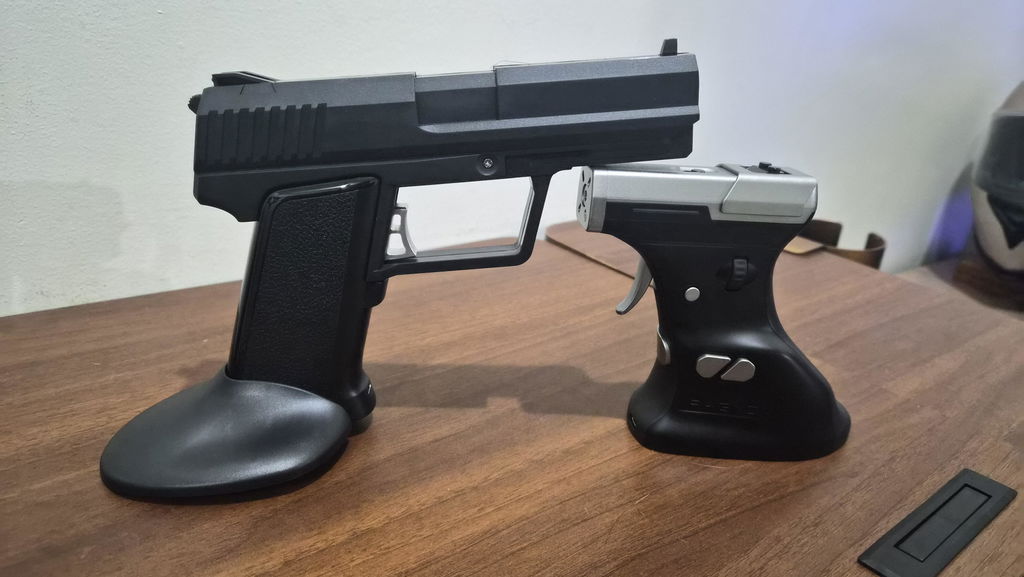
I bought this because the ErgoStrike7 looked like a real small gun so I got this one too because the moyse (magazine) can be used on its own without the barrel accessory so it doens't look like the real thing.

Anyway, long story short, do not bring the mouse and the accessory in public, it is too realistic looking and will definitely get you flagged for something illegal.

In terms of performance, the triggers are quite nice, its more loose than tactile but with just the right hand placement, even a gentle nudge will trigger the click.

The form is good as well since it is modeled after the real thing, the grip is natural and with the base it could support the hand. It feels quite weird for the ring and pinky finger getting quite smooshed om thr base.

It takes some time to get used to but its an innovative ergonomic mouse. I don't really play FPS much but it is quite good and accurate based on the aimbot
S
Stefanos Balidis
Very handy and good idea of having a mouse type like this

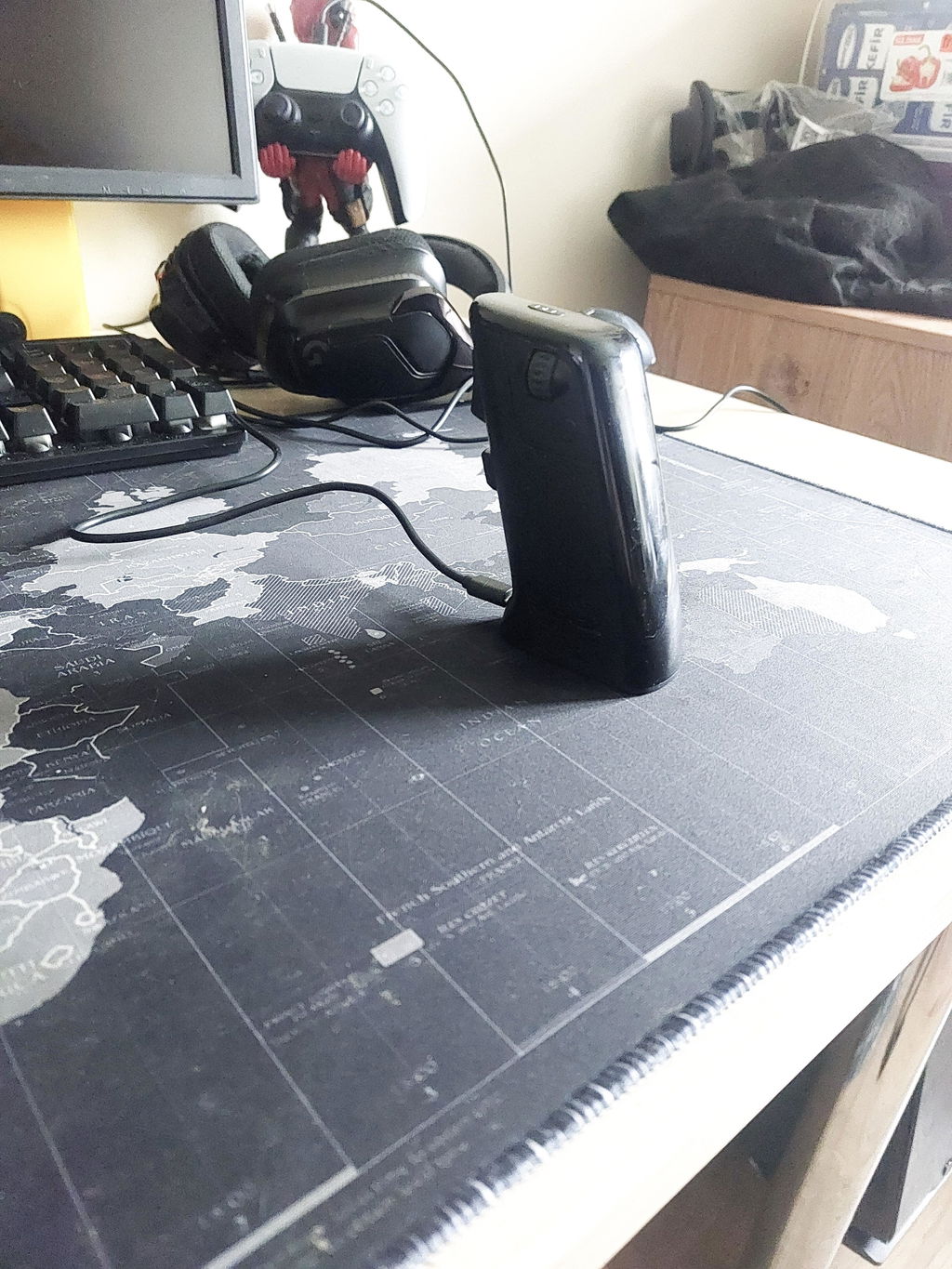
Very handy and good idea of having a mouse type like this. At first you need to give some time to get used to it. After that you will consider playing all shooting games with this mouse. Only downside(at least for me) is that the handgun is not attached with the base. It doesn't clips or something to hold the handgun and base together so when you play with both, the handgun slips out of the base. Other than that, good choice if play alot of FPS shooting games
D
Danyil Popov
Ragnok FireGrip did not disappoint

I'm enjoying this mouse so far. I really like the idea of a gun shaped mouse itself, was really happy that connecting to pc is pretty easy, no need for additional software and whatnot, only the one for changing dpi presets, key binds and color of little light and the bottom, which doesn't really do much, unfortunately, the only color that really shows is green, the others are very dim for some reason. Quality wise, the mouse itself is pretty good, the plastic is nice, there are no rough edges. But what I find not ideal is the stand that attaches to the bottom. It just doesn't really secures itself properly to the mouse. Stand either need some magnets for better attachment, or the entire connection should be changed (I think something like a simple railing system would be perfect). Overall, I'm happy with my purchase, will keep an eye for new Ragnok products

E
Emin SANEYAN
Интересно

Интересно

M
Martin Klimov
You have to relearn

You have to relearn how to use this mouse just to achieve results even close to those of a regular one

G
Gregor Wartanian
Great gun mouse

Great gun mouse, new base is very good, enjoying it a lot so far, very immersive, I only play single player FPS, FireGrip feels like your holding a gun, ergostrike7 feels like your holding a Windex bottle, best of luck to Ragnok Team. Great Job

R
Riyad Williams
5 star it's the perfect mouse for FPS

I love it perfect and easy to use specially for my wrist I get no pains so now can spend more time playing and love the sniper pen gift
Thanks alot now I must purchase the ragnok 3 can't wait for release date

N
Noah Peebles
Solid reliable mouse.

A solid alternative style mouse that’s surprisingly comfortable even more so than some “ergonomic” mice I’ve used in the past thanks to the vertical grip design. The magnets holding the hand rest to the base of the mouse seem a little weak but that been the only issue with the mouse. Having 2 choices of trigger was nice.

L
Leonardo Iannotta
Very cool

Its fun to use i love it and think its a well placed purchase,the order process was simple and the chosen logistics provider for my area was great. ragnok 3 haptic feedback?

D
Denys Krashchenko
It's GREATE!

Games I tested it in: Escape from Tarkov, Delta Force: Hawk Ops, Arena Brakeout, Warhammer 40000 Space Marine 2, Out Of Grid.
So:
- it fits well even in my large palm. It really resembles a pistol grip. I held the H&K USP in my hand. The only thing is that I would remove the gloss. The end surface of the grip could be covered with micro rubber. Those who say that it is not heavy enough, perhaps, but this lightness is not felt in the game.
- vibration feedback. A cool feature, but most likely it drains the battery, which is not compensated by the sensations. And it, of course, works with any press of the "fire" button, which is a hindrance in the game menu (you can turn it on in the battle itself).
- stand. It does not hold the handle in any way and rather interferes with aiming than provides an additional base for the palm. I disconnected it. The handle itself stands well on the table without a stand. I don't see the point in making the stand heavier and attaching it to the handle, for example, with magnets - it will make it harder to move the mouse around the surface.
- triggers. Both the standard trigger and the replaceable "aluminum" one cope with the task well. Thanks to the cherry blue switch, there are no delays. At first it seemed that the trigger was too soft (compared to the triggers on the XBOX), but it turned out that everything is fine in the game.
- the 3335 sensor is wireless, by the feel of it, the same performance as the 3389 in my wired Razer Deathadder Elite.
- whoever said "the buttons cannot be reassigned" - this is not true. You need to install the software from the site and there you can reassign the buttons, set 5 levels of DPI change (when changing, the changed value appears in the lower right corner of the screen, which is very convenient, since there is no other indication), you can configure and create macros, as well as several profiles for different games with different settings. For example, in Tarkov I have the Esc key on the side button - very convenient when looting. By the way, you can only see the battery percentage in the software.
- a wired connection is inconvenient: the cable catches on your little finger, the connector will probably break from frequent movement, and you lose the feeling of the weapon handle.
- I haven't figured out what surface to use yet. On my Razer Goliathus Extended Control, I feel like the mouse catches on the fabric, which interferes with aiming. I probably need a glass or metal mousepad, since the controls are smoother on a varnished table. Unfortunately, there are no recommendations from the developers.
- The most important thing is the settings!!!!. Don't think that you will just connect this mouse and immediately play with the same rating and K / D as on a regular mouse. It's not even a matter of getting used to it. It took me an hour. Because of the unusual shape, it's precisely the correct settings. On my regular mouse, with sensitivity from 0.78 to 0.95, DPI is set to 1000. Yes, this is not professional at all, I know. For this mouse, I have set "professional" 400 DPI, but set sensitivity to 1.5. Otherwise, I just took a long time to aim.
In general, for FPS lovers, I recommend this mouse for purchase and am waiting for version 3. It will probably be even better.

S
Summer Hammes

I hope more than the underground. afraid of getting fake
It's better than most.

A
Amelia Roob

As a result, the mousegun controller was set up to the real life of the Desert Eagle and in the company of the village juyut, like Vin the Whiglyadak and tactilely will be nice. And the head of the news will be given by the side of the building at the mousegun stovbur, shod it with a similar shvidshe for a joystick, for a traditional Mishu.

J
Jeanette Beahan

looks good, like it

H
Hunter Lakin

It feels good quality, it is very fun to play with it, if you are user of vertical mice it will not cost you much, otherwise it will cost you a little getting used to.

C
Cornell Frami

I didn't expect delivery too fast! 5Star! Prestigious Store! Should buy them, guys!