FireGrip : la souris-pistolet pour jeux de tir avec retour vibratoire

RAGNOK FireGrip

Souris FPS en forme de pistolet avec retour de vibration — une sensation différente pour les jeux de tir.

$59.00 $79.00
Couleur: Noir
  • Retour haptique intégré avec 2 niveaux (désactivable à tout moment)
  • Poignée réaliste de style pistolet, conçue pour les longues sessions de tir en jeu vidéo.
  • Capteur PixArt PAW3311 : jusqu’à 12 000 DPI, 400 IPS, 35 G
  • Sans fil 2,4 GHz ou câble USB-C · Batterie de 600 mAh
  • Bouton à tir rapide · commandes programmables · application Windows
Livraison rapide et gratuite

Nous proposons la livraison standard et la livraison DHL Express. La livraison standard prend généralement 5–9 jours ouvrés, tandis que DHL Express arrive sous 2–5 jours ouvrés.

Pour plus de détails, veuillez consulter notre politique d’expédition.

Garantie sans souci

Tous les produits RAGNOK sont couverts par une garantie de 12 mois à compter de la date de livraison. En cas de problème de qualité, nous vous fournirons un produit de remplacement (aucune réparation).

Pour obtenir de l’aide, veuillez contacter support@ragnok.net en joignant votre reçu de commande.

Voir les pages consacrées à la garantie et à l’assistance

Garantie satisfait ou remboursé de 30 jours

Vous pouvez retourner tout produit non endommagé dans les 30 jours suivant sa livraison, quel qu’en soit le motif.

Pour en savoir plus, veuillez consulter notre politique de retour.

Payez facilement

  • AliPay
  • Amazon
  • American Express
  • Apple Pay
  • Bancontact
  • Diners Club
  • Discover
  • Google Pay
  • Mastercard
  • MB WAY
  • PayPal
  • Satispay
  • Shop Pay
  • Visa

Ressentez chaque tir

Retour haptique intégré.

Un moteur vibrant situé sous la base ajoute un léger retour tactile lorsque vous appuyez sur la gâchette — pour une immersion sans recul mécanique.

Deux niveaux de vibration sur le nouveau FireGrip. Désactivez la vibration à tout moment grâce à l’interrupteur situé dessous.

Souris FireGrip de type pistolet avec retour haptique par vibration

Design réaliste de poignée d’arme à feu.

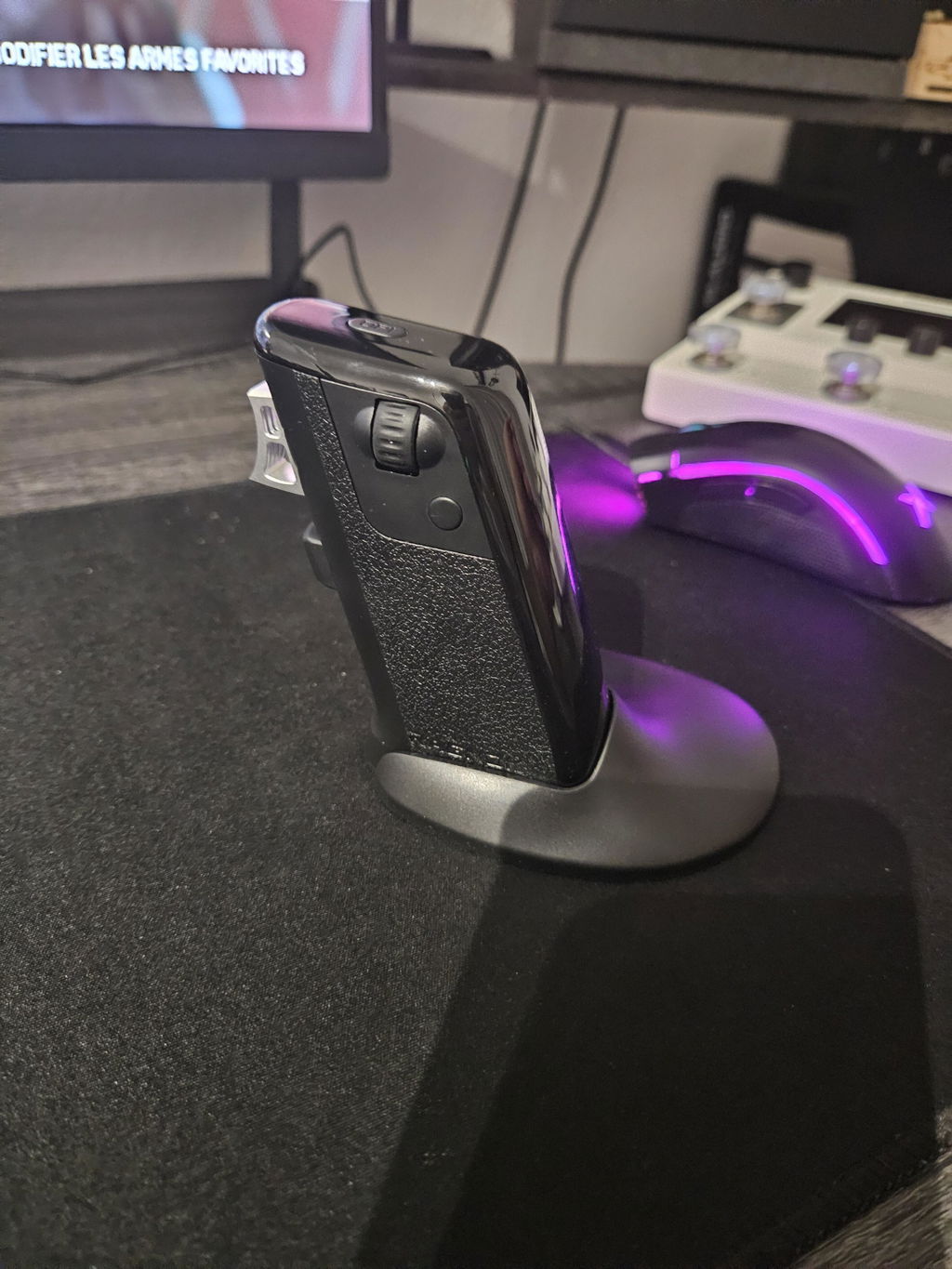
Conçu avec le même rapport de prise en main qu’une véritable arme à feu, FireGrip assure une prise confortable et naturelle, même pendant les longues sessions de jeu de tir.

La poignée latérale verticale aide à réduire la fatigue de la main, pour jouer plus longtemps sans avoir à tourner l’avant-bras comme avec une souris plate.

Grip en forme de pistolet FireGrip comparé à la forme traditionnelle d’une souris

Des déclencheurs différents, des sensations différentes.

Les gâchettes en plastique et en métal offrent des sensations différentes. Choisissez celles qui correspondent à votre style de jeu.

Plus naturel. Plus confortable.

La poignée verticale est conçue pour les longues sessions de tir : les fonctions familières d’une souris sont intégrées à une disposition inspirée d’une arme à feu.

Poignée verticale FireGrip en main Détail de la gâchette et des commandes FireGrip
Vue latérale de FireGrip avec commandes

Anatomie d’un FireGrip.

Chaque commande tombe sous le doigt. Touchez un point pour découvrir sa fonction.

  1. Même fonction que le bouton gauche traditionnel de la souris : tirez pour tirer.

  2. Même fonction que le bouton droit de la souris traditionnel.

  3. Le mode rafale peut simuler jusqu’à environ 800 clics par minute.

  4. Même fonction qu’une molette de souris traditionnelle.

  5. Préréglages de cycle : 800, 1 600, 3 200, 6 400, 12 000 — ou ajustez finement dans le logiciel.

  6. Réglez le niveau de vibration ou désactivez le retour haptique par le dessous.

En dessous : bouton DPI, interrupteur de vibration, mode de connexion et capteur PAW3311.

Capteur optique PAW3311.

Le PixArt PAW3311 suit les mouvements jusqu’à 400 IPS à 12 000 DPI et 35 G, avec une fréquence d’interrogation de 1 000 Hz. Réglez la sensibilité directement sur la souris ou ajustez-la avec précision de 100 à 12 000 dans le logiciel Windows.

  1. 800
  2. 1,600
  3. 3,200
  4. 6,400
  5. 12,000
Capteur et interrupteurs situés sous le FireGrip
Résolution maximale
12,000 DPI
Vitesse de suivi
400 IPS
Accélération
35 G
Fréquence d’interrogation
1,000 Hz
Poids
95 g
Batterie
600 mAh

Fonctionne dans les jeux auxquels vous jouez déjà.

FireGrip fonctionne avec tous les jeux compatibles avec une souris. Il excelle dans les jeux de tir, où sa prise en main en forme de pistolet et ses vibrations rendent chaque affrontement plus immersif.

Les noms de jeux ne sont donnés qu’à titre d’exemple. Les marques appartiennent à leurs propriétaires.

  1. FireGrip Call of Duty
  2. FireGrip Counter-Strike 2
  3. FireGrip Valorant
  4. FireGrip Fortnite
  5. FireGrip Champ de bataille
  6. FireGrip Rainbow Six Siege
  7. FireGrip Apex Legends
  8. FireGrip PUBG
  9. FireGrip Caméra-piéton
  10. FireGrip Helldivers 2
  11. FireGrip Resident Evil 4
  12. FireGrip Rivaux Marvel

Déballage et prise en main.

DeveloperAdam

Une souris de jeu pour Warzone ?

Ordinateurs de combat

Avis sur la souris gamer Ragnok Gun

Gizmoegram

Souris pour jeux de tir à la première personne

clippd

Souris gamer verticale

pas si minimaliste

La souris la plus bizarre pour les FPS ?

Beebom

Une souris gaming avec une arme

Boutons programmables et personnalisation logicielle FireGrip

Application Windows facultative.

Fonctionne dès la sortie de la boîte. Avec l’application Windows, remappez les boutons, ajustez la sensibilité DPI de 100 à 12 000 et accédez à des réglages plus avancés.

FireGrip sans fil 2,4 GHz et recharge USB-C

Connectivité à double mode.

Sans fil 2,4 GHz ou câble USB-C : branchez et jouez. La batterie intégrée de 600 mAh vous permet de jouer pendant la recharge.

Là où ça fonctionne.

Fenêtres
Assistance complète avec l’application de personnalisation.
macOS
Fonctions de base de la souris. Aucune personnalisation logicielle.
PS5, PS4, Xbox, Switch
Nécessite un adaptateur tiers compatible pour souris/clavier, vendu séparément.

Facile à apprendre.

Si vous utilisez déjà une souris, FireGrip reprend les mêmes clics essentiels dans une disposition de type pistolet. Prenez un peu de temps pour vous y habituer et vous trouverez vite cela naturel.

  1. Commencez dans un stand d’entraînement. Habituez-vous à la poignée et à la détente de votre arme avant votre premier match.
  2. Régler les vibrations. Essayez les deux niveaux ou désactivez les vibrations par le dessous pour une sensation plus discrète.
  3. Trouvez votre DPI. Parcourez les préréglages avec la souris ou ajustez précisément la valeur de 100 à 12 000 dans l’application Windows.

Spécifications

Poids 95 g sans socle · 127 g avec socle
Base Base ergonomique amovible
Vibration 2 niveaux · interrupteur sur la face inférieure
capteur Optique PixArt PAW3311
Résolution 100–12 000 DPI ; préréglages : 800, 1 600, 3 200, 6 400, 12 000
Fréquence d’interrogation 1000 Hz
Vitesse de suivi 400 IPS
Accélération 35 G
Connectivité Sans fil 2,4 GHz · câble USB-C
Portée sans fil 10 m
câble USB 1.5 m
Batterie Li-ion rechargeable, 600 mAh
Autonomie de la batterie Environ 56 heures d’utilisation · environ 2 mois en veille
Boutons programmables 5 (jusqu’à 4 configurables dans le logiciel)
Latéralité Main droite · poignée verticale de type pistolet
Compatibilité Windows (version complète avec application), macOS (version de base), consoles uniquement avec un adaptateur
Boîtier FireGrip et accessoires

Dans la boîte

  • Souris de jeu pour les armes à feu FireGrip
  • Dongle / récepteur 2,4 GHz
  • Câble USB-A vers USB-C
  • Base amovible
  • Manuel d’utilisation

Logiciels et assistance.

Téléchargez le logiciel Windows et trouvez de l’aide pour l’installation, la connexion, le DPI, les vibrations et le dépannage.

Télécharger le logiciel

Achetez en toute confiance.

Livraison rapide et gratuite
Options Standard et DHL Express. Les délais sont conformes à la politique d’expédition de la boutique. Politique d’expédition
Garantie sans tracas
Garantie de 12 mois à compter de la livraison. En cas de problème de qualité, remplacement — aucune réparation. Détails de la garantie
Remboursé sous 30 jours
Retournez les produits intacts dans les 30 jours suivant la livraison, quelle qu’en soit la raison. Politique de remboursement

Foire aux questions

Puis-je désactiver les vibrations ?

Oui. Un interrupteur situé sous l’appareil permet de régler le niveau de vibration ou de désactiver le retour haptique.

Quels systèmes d’exploitation sont pris en charge ?

Windows est entièrement pris en charge, y compris l’application de personnalisation. macOS prend en charge les fonctions de base de la souris sans personnalisation logicielle. Les consoles (PS5 / PS4 / Xbox / Switch) nécessitent un adaptateur tiers compatible.

Ai-je besoin d’une application pour l’utiliser ?

Non. FireGrip est prêt à l’emploi pour les fonctions essentielles de la souris, les préréglages DPI et les vibrations. L’application Windows est facultative pour réattribuer les boutons et régler plus précisément la sensibilité DPI.

Quel capteur FireGrip utilise-t-il ?

Capteur optique PixArt PAW3311 — jusqu’à 12 000 DPI, 400 IPS et 35 G, avec un taux d’interrogation de 1 000 Hz.

Est-ce que ça fonctionne sur les consoles ?

Uniquement avec un adaptateur compatible pour souris et clavier vendu séparément. La compatibilité dépend de la console, de l’adaptateur et du jeu.

Est-il réservé aux droitiers ?

Oui. La poignée verticale de type pistolet et la disposition des commandes sont conçues pour la main droite.

Où puis-je trouver des informations sur la livraison et les retours ?

Consultez les politiques d’expédition et de retours accessibles depuis le pied de page. Ces pages font foi pour les engagements de la boutique aux États-Unis.

Comment obtenir de l’aide ?

Contactez-nous via la page Contact ou par e-mail à support@ragnok.net en indiquant les détails de votre commande.

  • 5 stars: 80 (56%)
  • 4 stars: 32 (23%)
  • 3 stars: 18 (13%)
  • 2 stars: 5 (4%)
  • 1 star: 7 (5%)
O
O063w
Best mouse ever!

After fiddling with some settings I can confidently say this is now as accurate as my lg mouse for gpa gaming. I play a lot of Bodycam and this controller is amazing. I have carpal tunnel syndrome and this mouse alleviates this with the positioning of my hand on the mouse pad. Two wishes, one being able to configure mouse sensitivity independently by x and y axis and I use the base backwards so the rest is on the opposite side. These leaves my pinky sitting to high so I have to push the support base further so my pinky fits in the void. Hard to explain unless you have it.

B
Björn Ívar Björnsson
Bit awkward handling but enjoyable

The grip/handling is a bit awkward and you lose accuracy regarding small adjustments but overall I like the feeling of being able to squeeze a trigger instead of the simple mouse button click. The palm rest if I can call it that is surprisingly well fitted though feels loose on the "mouse"/gun piece since there is nothing mechanical linking them together like a seat or some locking mechanism. Regarding the buttons, the one beneath the scroll wheel is flush with the housing so sometimes it can be a bit hard to press. The scroll wheel works as intended but I can't seem to scroll one time with ease as if the scrolling "stages" are quite short making weapon switching be a bit irregular. All in all can recommend if the interest is there but keep in mind the points I've mentioned, they may not even be a problem for you.

H
Hannah Asistin
Realistic

I saw this on Instagram one day and thought that it was a quirky mouse.
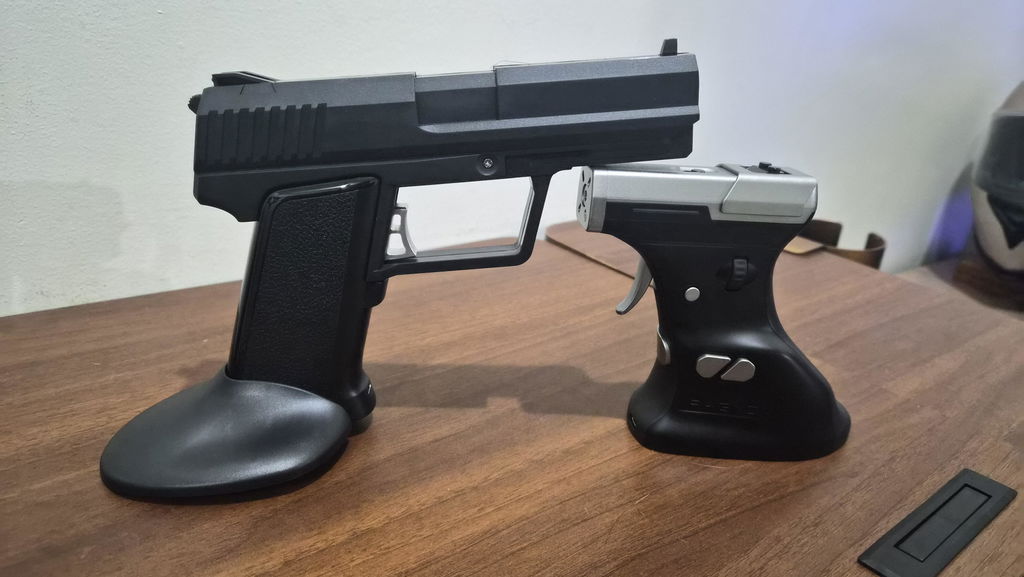
I bought this because the ErgoStrike7 looked like a real small gun so I got this one too because the moyse (magazine) can be used on its own without the barrel accessory so it doens't look like the real thing.

Anyway, long story short, do not bring the mouse and the accessory in public, it is too realistic looking and will definitely get you flagged for something illegal.

In terms of performance, the triggers are quite nice, its more loose than tactile but with just the right hand placement, even a gentle nudge will trigger the click.

The form is good as well since it is modeled after the real thing, the grip is natural and with the base it could support the hand. It feels quite weird for the ring and pinky finger getting quite smooshed om thr base.

It takes some time to get used to but its an innovative ergonomic mouse. I don't really play FPS much but it is quite good and accurate based on the aimbot
S
Stefanos Balidis
Very handy and good idea of having a mouse type like this

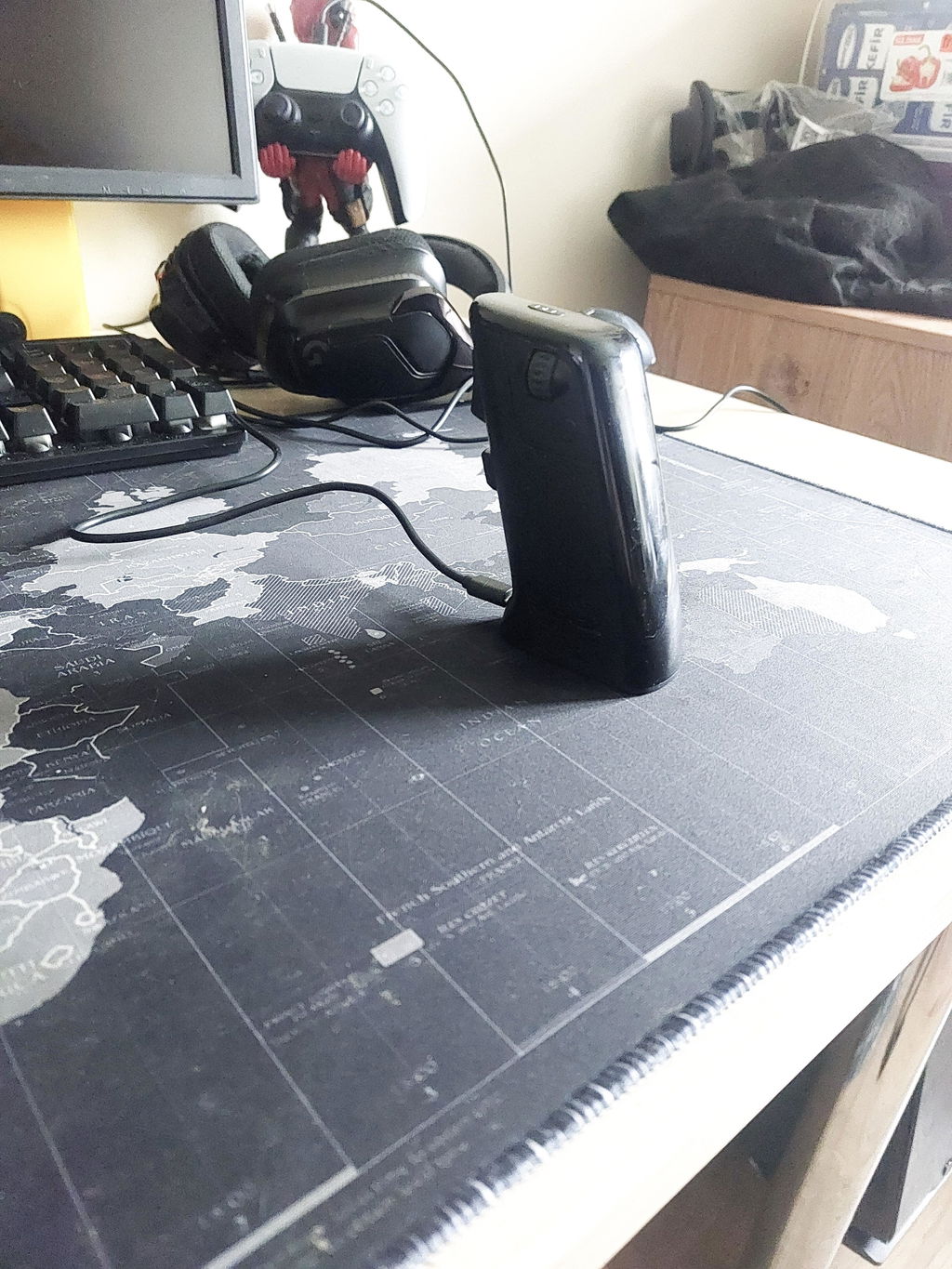
Very handy and good idea of having a mouse type like this. At first you need to give some time to get used to it. After that you will consider playing all shooting games with this mouse. Only downside(at least for me) is that the handgun is not attached with the base. It doesn't clips or something to hold the handgun and base together so when you play with both, the handgun slips out of the base. Other than that, good choice if play alot of FPS shooting games
D
Danyil Popov
Ragnok FireGrip did not disappoint

I'm enjoying this mouse so far. I really like the idea of a gun shaped mouse itself, was really happy that connecting to pc is pretty easy, no need for additional software and whatnot, only the one for changing dpi presets, key binds and color of little light and the bottom, which doesn't really do much, unfortunately, the only color that really shows is green, the others are very dim for some reason. Quality wise, the mouse itself is pretty good, the plastic is nice, there are no rough edges. But what I find not ideal is the stand that attaches to the bottom. It just doesn't really secures itself properly to the mouse. Stand either need some magnets for better attachment, or the entire connection should be changed (I think something like a simple railing system would be perfect). Overall, I'm happy with my purchase, will keep an eye for new Ragnok products

E
Emin SANEYAN
Интересно

Интересно

M
Martin Klimov
You have to relearn

You have to relearn how to use this mouse just to achieve results even close to those of a regular one

G
Gregor Wartanian
Great gun mouse

Great gun mouse, new base is very good, enjoying it a lot so far, very immersive, I only play single player FPS, FireGrip feels like your holding a gun, ergostrike7 feels like your holding a Windex bottle, best of luck to Ragnok Team. Great Job

R
Riyad Williams
5 star it's the perfect mouse for FPS

I love it perfect and easy to use specially for my wrist I get no pains so now can spend more time playing and love the sniper pen gift
Thanks alot now I must purchase the ragnok 3 can't wait for release date

N
Noah Peebles
Solid reliable mouse.

A solid alternative style mouse that’s surprisingly comfortable even more so than some “ergonomic” mice I’ve used in the past thanks to the vertical grip design. The magnets holding the hand rest to the base of the mouse seem a little weak but that been the only issue with the mouse. Having 2 choices of trigger was nice.

L
Leonardo Iannotta
Very cool

Its fun to use i love it and think its a well placed purchase,the order process was simple and the chosen logistics provider for my area was great. ragnok 3 haptic feedback?

D
Denys Krashchenko
It's GREATE!

Games I tested it in: Escape from Tarkov, Delta Force: Hawk Ops, Arena Brakeout, Warhammer 40000 Space Marine 2, Out Of Grid.
So:
- it fits well even in my large palm. It really resembles a pistol grip. I held the H&K USP in my hand. The only thing is that I would remove the gloss. The end surface of the grip could be covered with micro rubber. Those who say that it is not heavy enough, perhaps, but this lightness is not felt in the game.
- vibration feedback. A cool feature, but most likely it drains the battery, which is not compensated by the sensations. And it, of course, works with any press of the "fire" button, which is a hindrance in the game menu (you can turn it on in the battle itself).
- stand. It does not hold the handle in any way and rather interferes with aiming than provides an additional base for the palm. I disconnected it. The handle itself stands well on the table without a stand. I don't see the point in making the stand heavier and attaching it to the handle, for example, with magnets - it will make it harder to move the mouse around the surface.
- triggers. Both the standard trigger and the replaceable "aluminum" one cope with the task well. Thanks to the cherry blue switch, there are no delays. At first it seemed that the trigger was too soft (compared to the triggers on the XBOX), but it turned out that everything is fine in the game.
- the 3335 sensor is wireless, by the feel of it, the same performance as the 3389 in my wired Razer Deathadder Elite.
- whoever said "the buttons cannot be reassigned" - this is not true. You need to install the software from the site and there you can reassign the buttons, set 5 levels of DPI change (when changing, the changed value appears in the lower right corner of the screen, which is very convenient, since there is no other indication), you can configure and create macros, as well as several profiles for different games with different settings. For example, in Tarkov I have the Esc key on the side button - very convenient when looting. By the way, you can only see the battery percentage in the software.
- a wired connection is inconvenient: the cable catches on your little finger, the connector will probably break from frequent movement, and you lose the feeling of the weapon handle.
- I haven't figured out what surface to use yet. On my Razer Goliathus Extended Control, I feel like the mouse catches on the fabric, which interferes with aiming. I probably need a glass or metal mousepad, since the controls are smoother on a varnished table. Unfortunately, there are no recommendations from the developers.
- The most important thing is the settings!!!!. Don't think that you will just connect this mouse and immediately play with the same rating and K / D as on a regular mouse. It's not even a matter of getting used to it. It took me an hour. Because of the unusual shape, it's precisely the correct settings. On my regular mouse, with sensitivity from 0.78 to 0.95, DPI is set to 1000. Yes, this is not professional at all, I know. For this mouse, I have set "professional" 400 DPI, but set sensitivity to 1.5. Otherwise, I just took a long time to aim.
In general, for FPS lovers, I recommend this mouse for purchase and am waiting for version 3. It will probably be even better.

S
Summer Hammes

I hope more than the underground. afraid of getting fake
It's better than most.

A
Amelia Roob

As a result, the mousegun controller was set up to the real life of the Desert Eagle and in the company of the village juyut, like Vin the Whiglyadak and tactilely will be nice. And the head of the news will be given by the side of the building at the mousegun stovbur, shod it with a similar shvidshe for a joystick, for a traditional Mishu.

J
Jeanette Beahan

looks good, like it

H
Hunter Lakin

It feels good quality, it is very fun to play with it, if you are user of vertical mice it will not cost you much, otherwise it will cost you a little getting used to.

C
Cornell Frami

I didn't expect delivery too fast! 5Star! Prestigious Store! Should buy them, guys!