FireGrip: O rato em forma de arma para jogos de tiro com feedback de vibração

RAGNOK FireGrip

Rato FPS em formato de arma com feedback de vibração — uma sensação diferente nos jogos de tiros.

$59.00 $79.00
Cor: Preto
  • Feedback de vibração integrado com 2 níveis (pode desligar a qualquer momento)
  • Punho com formato de arma realista, concebido para longas sessões de jogo de tiro
  • Sensor PixArt PAW3311: até 12 000 DPI, 400 IPS, 35 G
  • Sem fios de 2,4 GHz ou cabo USB-C · bateria de 600 mAh
  • Botão de disparo rápido · controlos programáveis · aplicação para Windows
Envio rápido e gratuito

Disponibilizamos envios Standard e DHL Express. A entrega Standard demora normalmente 5–9 dias úteis, enquanto a DHL Express chega em 2–5 dias úteis.

Para obter informações completas, consulte a nossa Política de Envio.

Garantia sem complicações

Todos os produtos RAGNOK incluem uma garantia de 12 meses a partir da data de entrega. Se surgir um problema de qualidade, forneceremos um produto de substituição (não fazemos reparações).

Para obter assistência, contacte-nos através de support@ragnok.net e envie o comprovativo da encomenda.

Consulte as páginas de garantia / assistência técnica

Garantia de devolução do dinheiro durante 30 dias

Pode devolver qualquer produto não danificado no prazo de 30 dias após a entrega, por qualquer motivo.

Para obter todos os detalhes, consulte a nossa Política de Devoluções.

Pague com facilidade

  • AliPay
  • Amazon
  • American Express
  • Apple Pay
  • Bancontact
  • Diners Club
  • Discover
  • Google Pay
  • Mastercard
  • MB WAY
  • PayPal
  • Satispay
  • Shop Pay
  • Visa

Sinta cada disparo

Resposta de vibração integrada.

Um motor de vibração na base acrescenta uma resposta subtil ao premir o gatilho — imersão sem recuo mecânico.

Dois níveis de vibração no novo FireGrip. Desative a vibração a qualquer momento no interruptor na parte inferior.

Rato FireGrip em formato de pistola com feedback de vibração

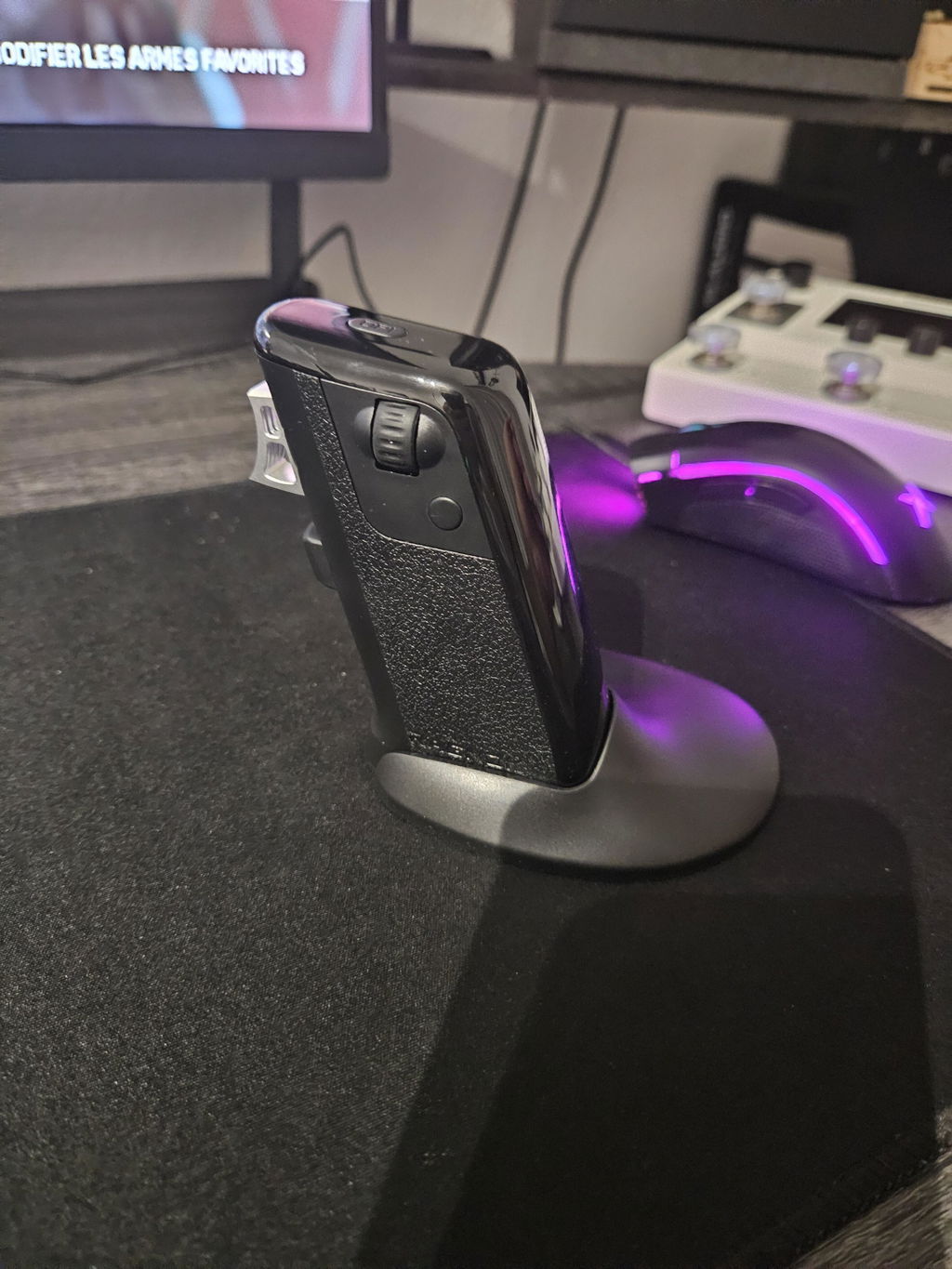
Design realista do punho de uma arma.

Concebido com a mesma proporção de pega de uma arma real, o FireGrip proporciona um manuseamento confortável e natural durante sessões intensas de jogos de tiro.

O punho lateral vertical ajuda a reduzir a fadiga da mão, para poder jogar durante mais tempo sem torcer o antebraço como acontece com um rato plano.

Comparação do punho tipo pistola FireGrip com o formato de um rato tradicional

Gatilhos diferentes, sensações diferentes.

Os gatilhos de plástico e de metal oferecem diferentes sensações de força. Escolha a sensação que melhor se adapta à forma como joga.

Mais natural. Mais confortável.

O punho vertical foi concebido para longas sessões de jogo de tiro — com as funções habituais do rato dispostas num formato inspirado numa arma.

Punho vertical FireGrip na mão Detalhe do gatilho e dos controlos FireGrip
Vista lateral do FireGrip com controlos

Anatomia de um FireGrip.

Todos os controlos estão ao alcance de um dedo. Toque num ponto para ver o que faz.

  1. A mesma função do botão esquerdo tradicional do rato — puxe para disparar.

  2. A mesma função que o botão direito do rato tradicional.

  3. O modo de disparo rápido pode simular até cerca de 800 cliques por minuto.

  4. A mesma função de uma roda de rato tradicional.

  5. Predefinições de ciclos: 800, 1600, 3200, 6400, 12,000 — ou ajuste ao pormenor no software.

  6. Ajuste o nível de vibração ou desligue o feedback na parte inferior.

Na parte inferior: botão de DPI, interruptor de vibração, modo de ligação e sensor PAW3311.

Sensor ótico PAW3311.

O PixArt PAW3311 acompanha até 400 IPS a 12 000 DPI e 35 G, com uma taxa de polling de 1000 Hz. Ajuste a sensibilidade no rato ou afine-a entre 100 e 12 000 no software do Windows.

  1. 800
  2. 1,600
  3. 3,200
  4. 6,400
  5. 12,000
Sensor inferior e interruptores FireGrip
Resolução máxima
12,000 DPI
Velocidade de seguimento
400 IPS
Aceleração
35 G
Taxa de polling
1,000 Hz
Peso
95 g
Bateria
600 mAh

Funciona nos jogos que já joga.

O FireGrip funciona em qualquer jogo compatível com rato. Destaca-se nos jogos de tiros, em que o punho em forma de arma e a vibração tornam cada confronto mais imersivo.

Os nomes dos jogos são apenas exemplos. As marcas pertencem aos respetivos proprietários.

  1. FireGrip Call of Duty
  2. FireGrip Counter-Strike 2
  3. FireGrip Valorant
  4. FireGrip Fortnite
  5. FireGrip Campo de batalha
  6. FireGrip Rainbow Six Siege
  7. FireGrip Apex Legends
  8. FireGrip PUBG
  9. FireGrip Câmara corporal
  10. FireGrip Helldivers 2
  11. FireGrip Resident Evil 4
  12. FireGrip Marvel Rivals

Desembalagem e primeiras impressões.

DeveloperAdam

Um rato gaming para Warzone?

PC Battlestations

Análise do rato gaming Ragnok

Gizmoegram

Rato tipo pistola para jogos FPS

clippd

Rato vertical para jogos

não tão minimalista

Rato mais estranho para jogos FPS?

Beebom

Um rato gaming para jogos de tiro

Botões programáveis FireGrip e personalização do software

Aplicação opcional para Windows.

Funciona imediatamente. Com a aplicação para Windows, pode reatribuir botões, ajustar a DPI de 100 a 12 000 e explorar definições mais avançadas.

FireGrip sem fios de 2,4 GHz e carregamento USB-C

Conectividade de modo duplo.

Sem fios a 2,4 GHz ou com cabo USB-C — ligar e usar. A bateria integrada de 600 mAh permite jogar enquanto carrega.

Onde funciona.

Janelas
Suporte completo com a aplicação de personalização.
macOS
Funções básicas do rato. Sem personalização de software.
PS5, PS4, Xbox, Switch
Requer um adaptador de rato/teclado de terceiros compatível, vendido em separado.

Fácil de aprender.

Se já utiliza um rato, o FireGrip associa os mesmos cliques principais a uma disposição semelhante à de uma arma. Faça um breve período de adaptação e começará a parecer-lhe natural.

  1. Começa num campo de treino. Habitue-se à empunhadura da arma e ao gatilho antes do seu primeiro jogo.
  2. Ajuste a vibração. Experimente ambos os níveis ou desligue a vibração na parte inferior quando quiser uma sensação mais silenciosa.
  3. Descubra o seu DPI. Alterne entre as predefinições do rato ou ajuste com precisão de 100 a 12 000 na aplicação para Windows.

Especificações

Peso 95 g sem base · 127 g com base
Base Base ergonómica amovível
Vibração 2 níveis · desligue no lado inferior
Sensor PixArt PAW3311 ótico
Resolução 100–12 000 DPI; predefinições: 800, 1600, 3200, 6400, 12 000
Taxa de polling 1000 Hz
Velocidade de seguimento 400 IPS
Aceleração 35 G
Conectividade Sem fios de 2,4 GHz · cabo USB-C
Alcance sem fios 10 m
Cabo USB 1.5 m
Bateria Iões de lítio recarregável, 600 mAh
Autonomia da bateria Cerca de 56 horas de utilização · cerca de 2 meses em standby
Botões programáveis 5 (até 4 configuráveis por software)
Lateralidade Mão direita · punho vertical tipo pistola
Compatibilidade Windows (completo com aplicação), macOS (básico), consolas apenas através de adaptador
Caixa FireGrip e acessórios

Na caixa

  • Rato para jogos FireGrip
  • Dongle / recetor de 2,4 GHz
  • Cabo USB-A para USB-C
  • Base amovível
  • Manual do utilizador

Software e assistência.

Transfira o software para Windows e encontre ajuda para a configuração da ligação, DPI, vibração e resolução de problemas.

Transferência de software

Compre com confiança.

Envio rápido e gratuito
Opções Standard e DHL Express. Os prazos seguem a política de envio da loja. Política de envio
Garantia sem complicações
Garantia de 12 meses a partir da entrega. Em caso de problemas de qualidade, substituímos o produto — não fazemos reparações. Detalhes da garantia
Reembolso em 30 dias
Devolva produtos não danificados no prazo de 30 dias após a entrega, por qualquer motivo. Política de reembolso

Perguntas frequentes

Posso desativar a vibração?

Sim. Há um interruptor na parte inferior para alterar o nível de vibração ou desligar o feedback.

Que sistemas operativos são suportados?

O Windows é totalmente compatível, incluindo a aplicação de personalização. O macOS é compatível com as funções básicas do rato, sem personalização por software. As consolas (PS5 / PS4 / Xbox / Switch) necessitam de um adaptador de terceiros compatível.

Preciso de uma aplicação para o utilizar?

Não. O FireGrip é plug-and-play para as funções básicas do rato, os níveis de DPI predefinidos e a vibração. A aplicação para Windows é opcional para reatribuir os botões e controlar o DPI com maior precisão.

Que sensor utiliza o FireGrip?

Sensor ótico PixArt PAW3311 — até 12.000 DPI, 400 IPS e 35 G, com uma frequência de polling de 1000 Hz.

Funciona em consolas?

Apenas através de um adaptador compatível para rato e teclado, vendido em separado. A compatibilidade depende da consola, do adaptador e do jogo.

É apenas para destros?

Sim. O punho vertical em forma de pistola e a disposição dos comandos foram concebidos para a mão direita.

Onde posso encontrar informações sobre envios e devoluções?

Consulte as políticas de Envio e Devoluções disponíveis no rodapé. Essas páginas são a fonte oficial das informações sobre as promessas da loja dos EUA.

Como posso obter apoio?

Contacte-nos através da página de contacto ou envie um e-mail para support@ragnok.net com os dados da sua encomenda.

  • 5 stars: 80 (56%)
  • 4 stars: 32 (23%)
  • 3 stars: 18 (13%)
  • 2 stars: 5 (4%)
  • 1 star: 7 (5%)
O
O063w
Best mouse ever!

After fiddling with some settings I can confidently say this is now as accurate as my lg mouse for gpa gaming. I play a lot of Bodycam and this controller is amazing. I have carpal tunnel syndrome and this mouse alleviates this with the positioning of my hand on the mouse pad. Two wishes, one being able to configure mouse sensitivity independently by x and y axis and I use the base backwards so the rest is on the opposite side. These leaves my pinky sitting to high so I have to push the support base further so my pinky fits in the void. Hard to explain unless you have it.

B
Björn Ívar Björnsson
Bit awkward handling but enjoyable

The grip/handling is a bit awkward and you lose accuracy regarding small adjustments but overall I like the feeling of being able to squeeze a trigger instead of the simple mouse button click. The palm rest if I can call it that is surprisingly well fitted though feels loose on the "mouse"/gun piece since there is nothing mechanical linking them together like a seat or some locking mechanism. Regarding the buttons, the one beneath the scroll wheel is flush with the housing so sometimes it can be a bit hard to press. The scroll wheel works as intended but I can't seem to scroll one time with ease as if the scrolling "stages" are quite short making weapon switching be a bit irregular. All in all can recommend if the interest is there but keep in mind the points I've mentioned, they may not even be a problem for you.

H
Hannah Asistin
Realistic

I saw this on Instagram one day and thought that it was a quirky mouse.
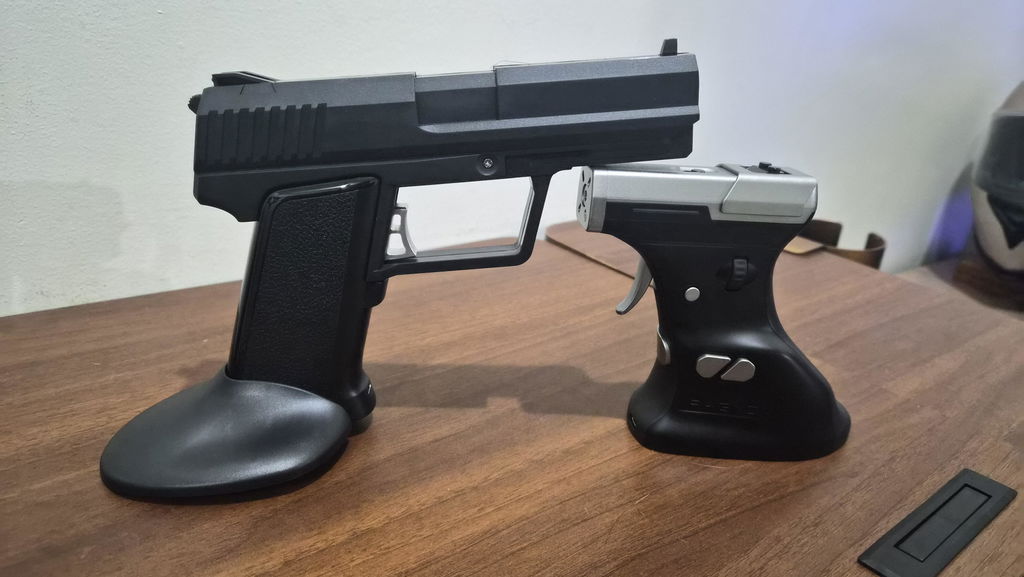
I bought this because the ErgoStrike7 looked like a real small gun so I got this one too because the moyse (magazine) can be used on its own without the barrel accessory so it doens't look like the real thing.

Anyway, long story short, do not bring the mouse and the accessory in public, it is too realistic looking and will definitely get you flagged for something illegal.

In terms of performance, the triggers are quite nice, its more loose than tactile but with just the right hand placement, even a gentle nudge will trigger the click.

The form is good as well since it is modeled after the real thing, the grip is natural and with the base it could support the hand. It feels quite weird for the ring and pinky finger getting quite smooshed om thr base.

It takes some time to get used to but its an innovative ergonomic mouse. I don't really play FPS much but it is quite good and accurate based on the aimbot
S
Stefanos Balidis
Very handy and good idea of having a mouse type like this

Very handy and good idea of having a mouse type like this. At first you need to give some time to get used to it. After that you will consider playing all shooting games with this mouse. Only downside(at least for me) is that the handgun is not attached with the base. It doesn't clips or something to hold the handgun and base together so when you play with both, the handgun slips out of the base. Other than that, good choice if play alot of FPS shooting games
D
Danyil Popov
Ragnok FireGrip did not disappoint

I'm enjoying this mouse so far. I really like the idea of a gun shaped mouse itself, was really happy that connecting to pc is pretty easy, no need for additional software and whatnot, only the one for changing dpi presets, key binds and color of little light and the bottom, which doesn't really do much, unfortunately, the only color that really shows is green, the others are very dim for some reason. Quality wise, the mouse itself is pretty good, the plastic is nice, there are no rough edges. But what I find not ideal is the stand that attaches to the bottom. It just doesn't really secures itself properly to the mouse. Stand either need some magnets for better attachment, or the entire connection should be changed (I think something like a simple railing system would be perfect). Overall, I'm happy with my purchase, will keep an eye for new Ragnok products

E
Emin SANEYAN
Интересно

Интересно

M
Martin Klimov
You have to relearn

You have to relearn how to use this mouse just to achieve results even close to those of a regular one

G
Gregor Wartanian
Great gun mouse

Great gun mouse, new base is very good, enjoying it a lot so far, very immersive, I only play single player FPS, FireGrip feels like your holding a gun, ergostrike7 feels like your holding a Windex bottle, best of luck to Ragnok Team. Great Job

R
Riyad Williams
5 star it's the perfect mouse for FPS

I love it perfect and easy to use specially for my wrist I get no pains so now can spend more time playing and love the sniper pen gift
Thanks alot now I must purchase the ragnok 3 can't wait for release date

N
Noah Peebles
Solid reliable mouse.

A solid alternative style mouse that’s surprisingly comfortable even more so than some “ergonomic” mice I’ve used in the past thanks to the vertical grip design. The magnets holding the hand rest to the base of the mouse seem a little weak but that been the only issue with the mouse. Having 2 choices of trigger was nice.

L
Leonardo Iannotta
Very cool

Its fun to use i love it and think its a well placed purchase,the order process was simple and the chosen logistics provider for my area was great. ragnok 3 haptic feedback?

D
Denys Krashchenko
It's GREATE!

Games I tested it in: Escape from Tarkov, Delta Force: Hawk Ops, Arena Brakeout, Warhammer 40000 Space Marine 2, Out Of Grid.
So:
- it fits well even in my large palm. It really resembles a pistol grip. I held the H&K USP in my hand. The only thing is that I would remove the gloss. The end surface of the grip could be covered with micro rubber. Those who say that it is not heavy enough, perhaps, but this lightness is not felt in the game.
- vibration feedback. A cool feature, but most likely it drains the battery, which is not compensated by the sensations. And it, of course, works with any press of the "fire" button, which is a hindrance in the game menu (you can turn it on in the battle itself).
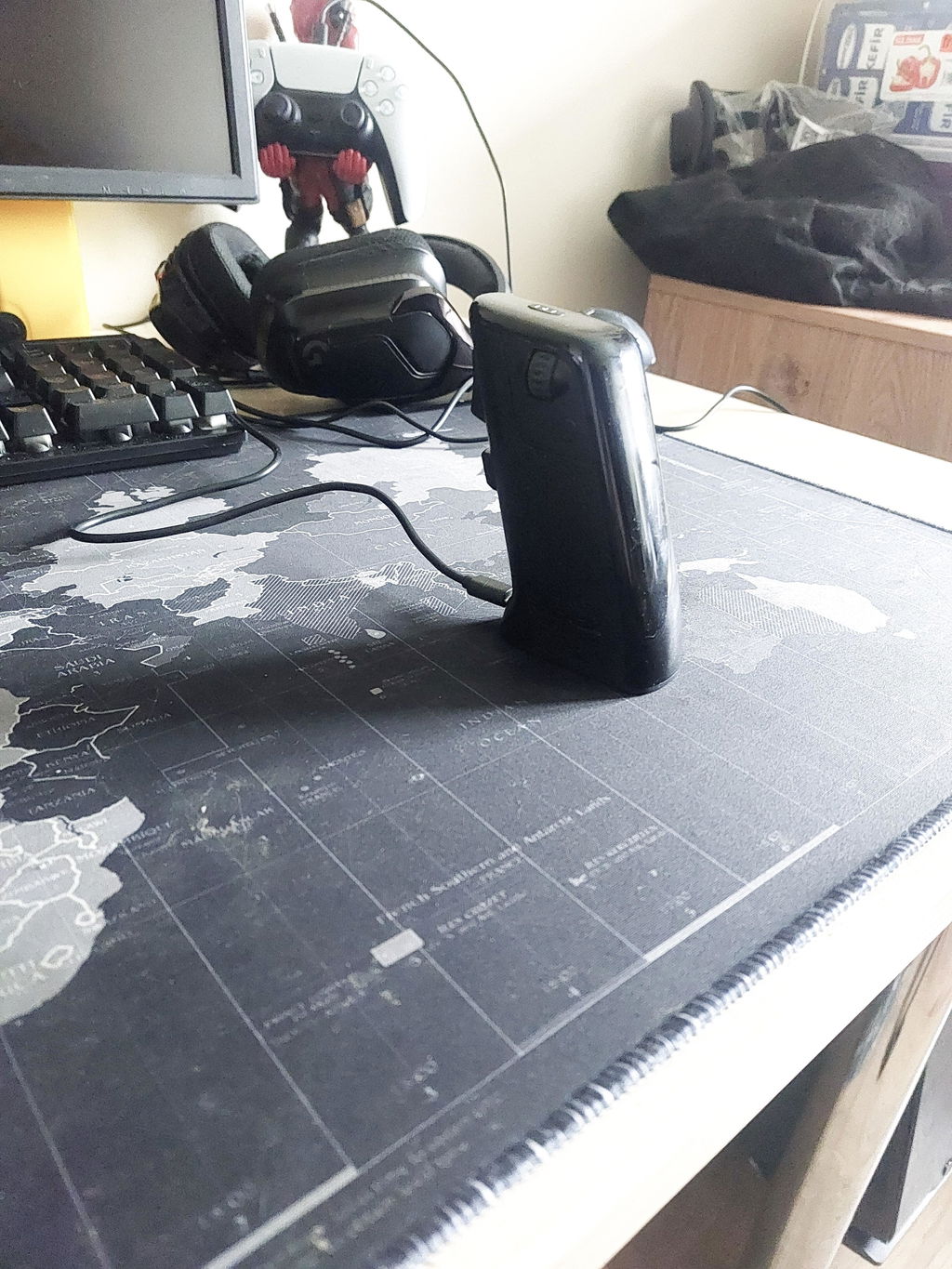
- stand. It does not hold the handle in any way and rather interferes with aiming than provides an additional base for the palm. I disconnected it. The handle itself stands well on the table without a stand. I don't see the point in making the stand heavier and attaching it to the handle, for example, with magnets - it will make it harder to move the mouse around the surface.
- triggers. Both the standard trigger and the replaceable "aluminum" one cope with the task well. Thanks to the cherry blue switch, there are no delays. At first it seemed that the trigger was too soft (compared to the triggers on the XBOX), but it turned out that everything is fine in the game.
- the 3335 sensor is wireless, by the feel of it, the same performance as the 3389 in my wired Razer Deathadder Elite.
- whoever said "the buttons cannot be reassigned" - this is not true. You need to install the software from the site and there you can reassign the buttons, set 5 levels of DPI change (when changing, the changed value appears in the lower right corner of the screen, which is very convenient, since there is no other indication), you can configure and create macros, as well as several profiles for different games with different settings. For example, in Tarkov I have the Esc key on the side button - very convenient when looting. By the way, you can only see the battery percentage in the software.
- a wired connection is inconvenient: the cable catches on your little finger, the connector will probably break from frequent movement, and you lose the feeling of the weapon handle.
- I haven't figured out what surface to use yet. On my Razer Goliathus Extended Control, I feel like the mouse catches on the fabric, which interferes with aiming. I probably need a glass or metal mousepad, since the controls are smoother on a varnished table. Unfortunately, there are no recommendations from the developers.
- The most important thing is the settings!!!!. Don't think that you will just connect this mouse and immediately play with the same rating and K / D as on a regular mouse. It's not even a matter of getting used to it. It took me an hour. Because of the unusual shape, it's precisely the correct settings. On my regular mouse, with sensitivity from 0.78 to 0.95, DPI is set to 1000. Yes, this is not professional at all, I know. For this mouse, I have set "professional" 400 DPI, but set sensitivity to 1.5. Otherwise, I just took a long time to aim.
In general, for FPS lovers, I recommend this mouse for purchase and am waiting for version 3. It will probably be even better.

S
Summer Hammes

I hope more than the underground. afraid of getting fake
It's better than most.

A
Amelia Roob

As a result, the mousegun controller was set up to the real life of the Desert Eagle and in the company of the village juyut, like Vin the Whiglyadak and tactilely will be nice. And the head of the news will be given by the side of the building at the mousegun stovbur, shod it with a similar shvidshe for a joystick, for a traditional Mishu.

J
Jeanette Beahan

looks good, like it

H
Hunter Lakin

It feels good quality, it is very fun to play with it, if you are user of vertical mice it will not cost you much, otherwise it will cost you a little getting used to.

C
Cornell Frami

I didn't expect delivery too fast! 5Star! Prestigious Store! Should buy them, guys!